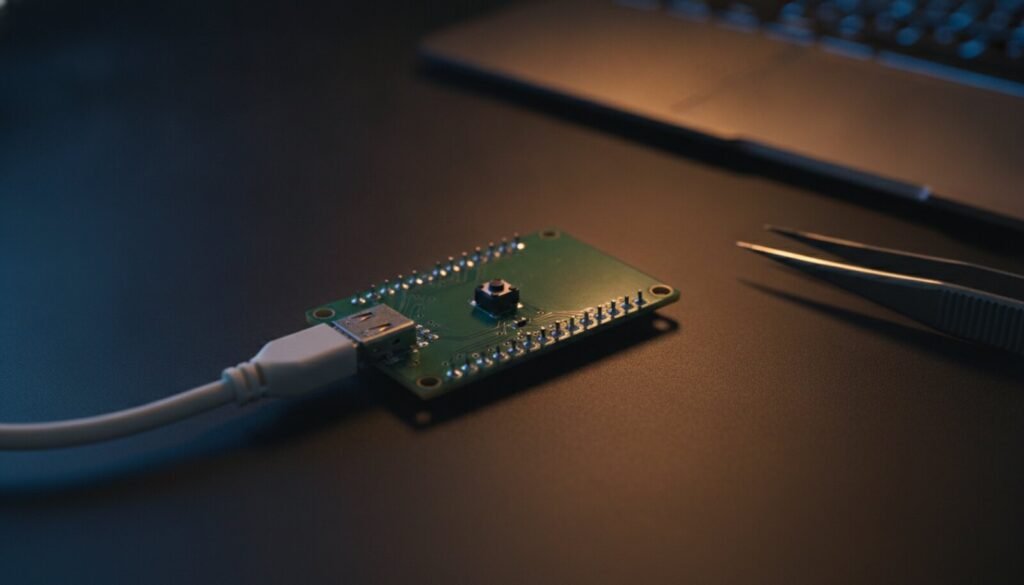
A Raspberry Pi Pico that shows nothing in Device Manager, or shows up but never mounts an RPI-RP2 drive, is almost never a dead board. The bootloader lives in mask ROM and cannot be erased; what changes is which of its two USB interfaces Windows managed to bind. That single fact explains most “Pico not detected” threads.
⬇ picotool 2.3.1 for Windows (x64)
Download picotool 2.3.1 (Windows x64)
BSD-3-Clause, Copyright (c) 2020 Raspberry Pi (Trading) Ltd — full licence text. Note that the picotool repository’s own releases contain only source tarballs; the prebuilt binaries live in the separate pico-sdk-tools repository, which is why searching for “picotool download” so often ends in a dead end.
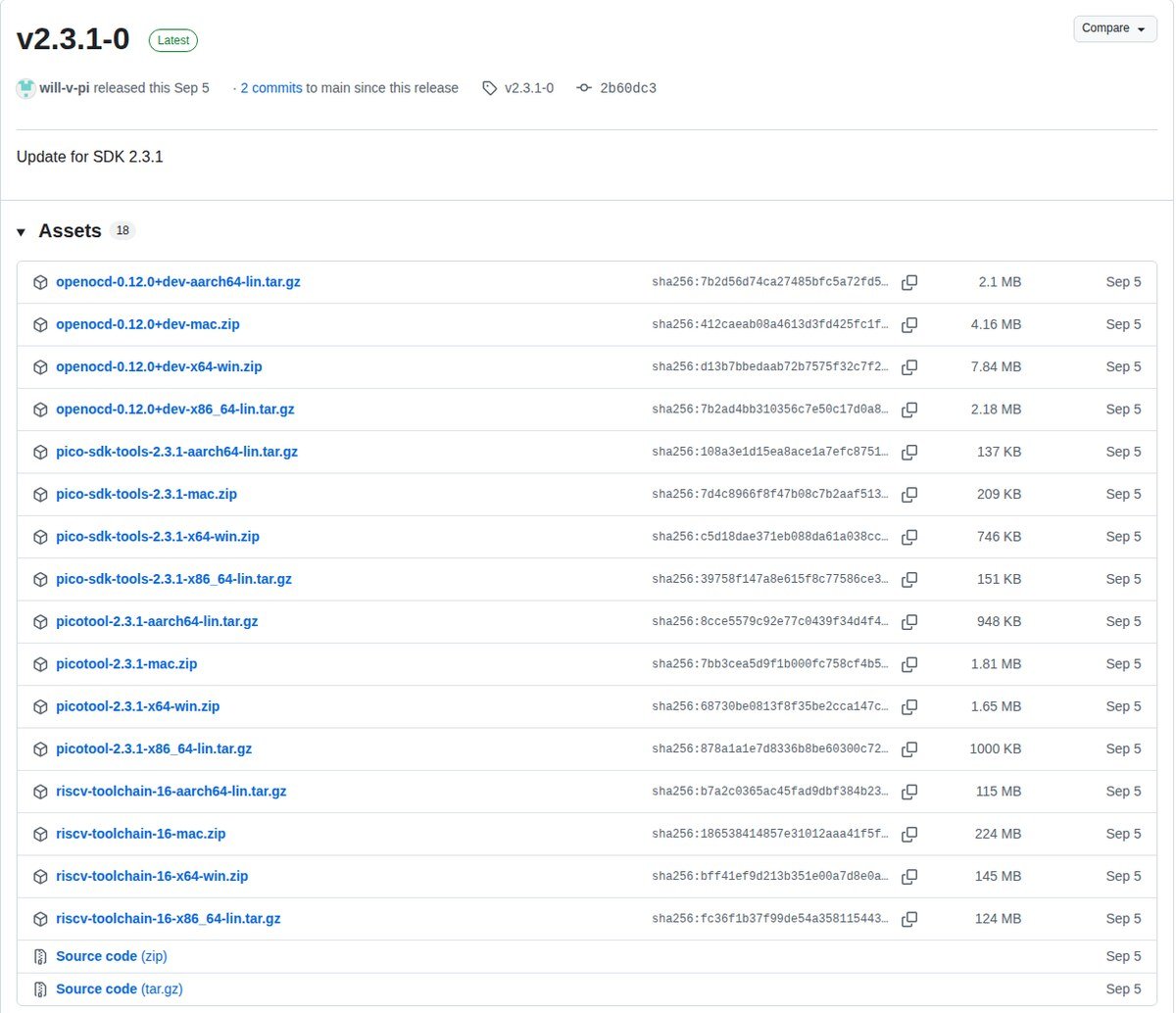
pico-sdk-tools v2.3.1-0. GitHub publishes the SHA-256 of each asset next to it — the one shown for picotool-2.3.1-x64-win.zip is the hash in the box above. Screenshot: github.com/raspberrypi, 7 October 2026.The 20-second test
Unplug the board. Press and hold BOOTSEL. Plug the USB cable in while still holding it. Release after about two seconds.
A healthy board mounts a 128 MB FAT16 drive holding exactly two files, INFO_UF2.TXT and INDEX.HTM. On an RP2040 board (Pico, Pico H, Pico W) it is named RPI-RP2; on an RP2350 board (Pico 2, Pico 2 W) it is named RP2350. If that drive appears, the hardware is fine and the problem is further up the stack.
What you are seeing, and what it means
| What Windows shows | What it actually is | What to do |
| Nothing at all — no chime, no new device | Charge-only cable, or no 5 V reaching the board | Swap to a known data cable; use a rear port, not a hub |
| “USB device not recognized” / “Unknown USB Device (Device Descriptor Request Failed)” | Enumeration failed before any interface existed | Cable and port first, then suspect the board itself |
Drive named RPI-RP2 |
RP2040 in BOOTSEL. Working as designed | Drag the .uf2 onto it |
Drive named RP2350 |
RP2350 in BOOTSEL. Also correct — a Pico 2 never mounts as RPI-RP2 | Nothing; the guide you are following is out of date |
| Drive with some other name entirely | An RP2350 board whose vendor white-labelled the volume label in OTP | Treat it as BOOTSEL; it behaves identically |
| A COM port, but no drive | Your program is running and exposing USB serial; the ROM loader was never reached | Hold BOOTSEL at power-up, or run picotool reboot -f -u |
| Drive mounts, but picotool says it “was unable to connect” | Interface 1 has no WinUSB driver bound to it | Zadig on Interface 1 — RP2040 only |
| An “RP2 Boot” device exists but the drive is gone | Zadig was pointed at Interface 0, which is the drive | Undo it — see the Zadig trap below |
| Drive appears, then vanishes one second after the UF2 copy | Normal. The chip reboots the moment the file is complete | Ignore the Windows copy error, if any |
Why a perfectly good Pico often shows no drive on its own
Section 2.8.1 of the RP2040 datasheet spells out the boot sequence: the ROM checks whether the QSPI chip-select pin is tied low (“bootrom button”) and skips flash boot if it is; otherwise it copies 256 bytes from flash into SRAM and checks them for a valid CRC32. Then the line that answers the question:
“If no valid image found in SPI after 0.5 seconds of attempting to boot, drop to USB device boot.”
So a blank Pico mounts its drive by itself after half a second, which is why your first one did. A Pico that already holds a working program passes the checksum, runs your code and never reaches USB boot — nothing is broken, the ROM did its job. Holding BOOTSEL ties that chip-select line low and forces the first branch.
The RP2350 adds two traps that only bite on custom boards. Per section 5.2.8 of the RP2350 datasheet, chip-select must be pulled low hard enough to beat the internal pull-up — Raspberry Pi recommends 4.7 kΩ to ground — and the QSPI SD1 line then picks the bootloader: left low it enters the USB bootloader, driven high it enters a UART bootloader at 1 Mbaud on SD2/SD3 and never enumerates on USB at all. BOOTSEL also requires the 12 MHz crystal to be alive; a dead XOSC looks exactly like a dead USB port.
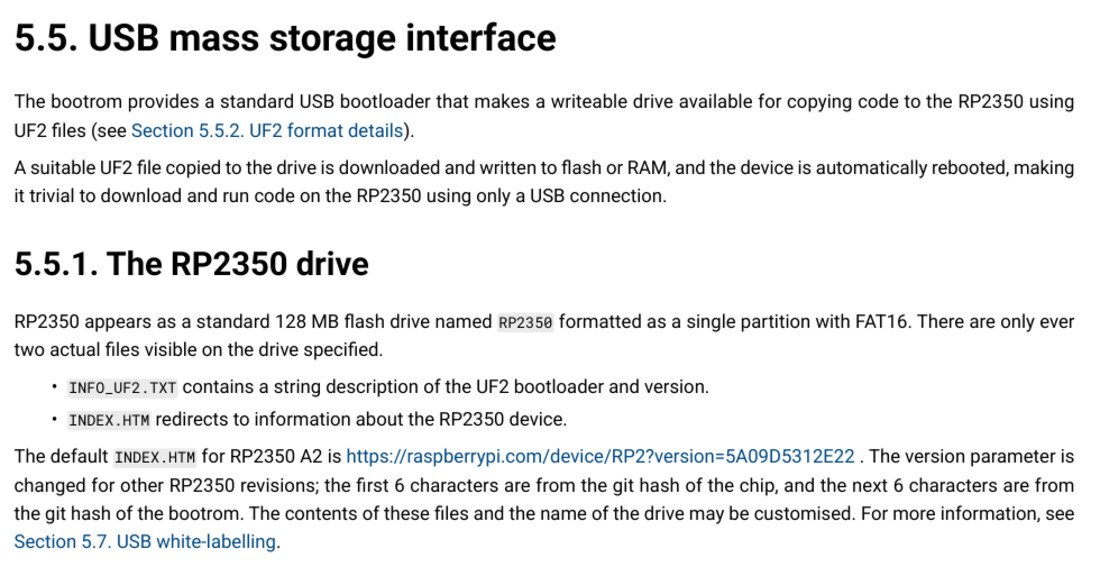
RP2350, not RPI-RP2, and both its name and contents “may be customised” through OTP. Source: Raspberry Pi Ltd, RP2350 Datasheet, p. 365.The six USB IDs that matter
Every ID below is from Raspberry Pi’s official product ID list, cross-checked against the constants hard-coded in picoboot_connection.h in the picotool source.
| USB ID | What it is | State of the board |
2E8A:0003 |
RP2040 boot (mask ROM) | BOOTSEL — drive RPI-RP2 |
2E8A:000F |
RP2350 boot (mask ROM) | BOOTSEL — drive RP2350 |
2E8A:000A |
Pico SDK CDC UART (RP2040) | Running your program; -f can force it |
2E8A:0009 |
Pico SDK CDC UART | Running your program; -f can force it |
2E8A:0005 |
MicroPython firmware (CDC) | Running MicroPython, not in BOOTSEL |
2E8A:0004 |
PicoProbe (obsolete; Debug Probe is 000C) |
Debug adapter, not a target |
Here is what trips people up with third-party boards. That official list currently holds 321 product ID allocations across 178 companies under vendor ID 0x2E8A — Pimoroni alone has 26, Waveshare 23 — but picotool recognises only the six above. A Pimoroni or Waveshare board running its own firmware will therefore not be found by picotool info unless you pass --vid and --pid. In BOOTSEL, though, almost every RP-series board falls back to 2E8A:0003 or 2E8A:000F, because those IDs live in ROM and no vendor can overwrite them. The exception is an RP2350 board whose maker used OTP white-labelling, which per section 5.7 of the datasheet can change the VID, the PID, the manufacturer and product strings and the volume label.
Why only the RP2040 needs Zadig
The picotool README states flatly that you need Zadig on Windows and then adds “This is only required for RP2040” — without saying why. The answer is visible in the two bootrom sources, which Raspberry Pi publishes.
| RP2040 (Pico / Pico H / Pico W) | RP2350 (Pico 2 / Pico 2 W) | |
| USB product string | “RP2 Boot” | “RP2350 Boot” |
bcdUSB in the device descriptor |
0x0110 — USB 1.1, so no BOS descriptor |
0x0210 — “USB Specification version 2.1 for BOS” |
| Microsoft OS 2.0 descriptor | None | Present: WINUSB compatible ID plus a DeviceInterfaceGUID of {bc7398c1-73cd-4cb7-98b8-913a8fca7bf6} |
| Windows binds interface 1 by itself | No | Yes |
| Zadig needed for picotool | Yes | No |
| Non-USB fallback bootloader | None | UART at 1 Mbaud when QSPI SD1 is high |
In other words: the RP2350 bootrom hands Windows a Microsoft OS 2.0 descriptor set that says “bind WinUSB to this interface”, and Windows obeys. The RP2040 bootrom has no such descriptor — and its string table holds only four entries, so a request for the magic string index 0xEE (the Microsoft OS 1.0 hook) comes back empty too. Windows gets no hint at all, leaves the vendor-specific interface without a function driver, and picotool cannot open it.
The Zadig trap: Interface 0 is the drive
This is the most common self-inflicted wound on the Pico, and the reason is one line in the bootrom descriptor table. Interface 0 is declared bInterfaceClass 0x08 — mass storage, SCSI transparent, bulk-only. That is the RPI-RP2 drive. Interface 1 is bInterfaceClass 0xFF, vendor-specific: the PICOBOOT interface picotool talks to.
Run Zadig against Interface 1 and both keep working. Run it against Interface 0 — which plenty of third-party tutorials tell you to do — and the drive disappears until you undo it. Two reports with the actual fixes:
- pico-feedback #198, “Pico will not mount as a drive in BOOTSEL mode”: fixed with Device Manager → Update Driver → “Let me pick from a list” → USB Composite Device.
- pico-feedback #445: the user had put
usbseron interface 0 on a BitDogLab board. Resolution in their own words — uninstall every Pico driver in Device Manager, let Windows reinstall them automatically, then put WinUSB back on interface 1 only.
Running picotool on Windows
There is no installer and nothing to register. Extract the ZIP, open Windows Terminal in the picotool folder and run .\picotool.exe info -a to see exactly what picotool can reach — more useful than Device Manager when you are chasing a driver problem. The executable is a single 6,239,513-byte file with libusb linked in; the only DLLs named inside it are Windows’ own KERNEL32, bcrypt and the api-ms-win-crt-* Universal CRT set that ships with Windows 10 and 11.
picotool reboot -f -u sends a board that is running your program straight into BOOTSEL, so you never touch the button — provided the firmware is still running and was built with USB stdio enabled.
The --rp2040 flag confuses everyone, and the source explains it. When picotool forces a board into BOOTSEL it normally hides the mass-storage interface so you cannot write to the drive mid-operation. On Windows with an RP2040 it must not, because the WinUSB binding Zadig created was made against the full interface set that appears when you plug in holding BOOTSEL. Picotool detects this from the product ID; --rp2040 exists only to say so by hand when your board uses a custom VID/PID.
The errors you will actually see
These strings are lifted from picotool’s own source, so they are worth pasting into a search box verbatim:
- “No accessible RP-series devices in BOOTSEL mode were found.” — nothing is in BOOTSEL. Hold the button while plugging in.
- “appears to be in BOOTSEL mode, but picotool was unable to connect. You may need to install a driver via Zadig.” — the drive is there; interface 1 is not bound. RP2040 only.
- “Despite the reboot attempt, no accessible RP-series device in BOOTSEL mode was found… It is possible the device is not responding.” — the forced reboot failed: the firmware had already returned, or was built without USB stdio.
- “No accessible RP2350 devices in BOOTSEL mode were found.” — note the chip name: the command is RP2350-only and you have an RP2040 attached.
FAQ
Does the Pico need a driver at all? Not for the drive — that is standard USB mass storage. Only picotool needs one, only on Windows, and only on RP2040 boards.
Can I brick the bootloader? No. Both board datasheets say it outright: the USB boot code is in ROM, so it “can not be accidentally overwritten.” A board that refuses BOOTSEL has a hardware or cable problem.
My board keeps running bad code before I can grab it. Hold BOOTSEL from before you plug in, then write the official flash_nuke.uf2 to wipe flash — Raspberry Pi links it from the Pico documentation page, under resetting flash memory. It also clears a main.py that a MicroPython reflash would leave behind.
Windows says the UF2 copy failed, but the board works. Expected: the chip reboots the instant the last block lands, so the drive is yanked out from under Explorer. Use picotool verify if you want certainty.
Sources
- RP2040 datasheet — §2.8.1 boot sequence, §2.8.4.1 the RPI-RP2 drive
- RP2350 datasheet — §5.2.8 BOOTSEL and SD1, §5.5.1 the RP2350 drive, §5.7 white-labelling
- RP2040 bootrom USB descriptors and RP2350 bootrom USB descriptors — interface classes, bcdUSB, the MS OS 2.0 descriptor set
- picotool — README (Zadig section),
picoboot_connection.h,main.cpp - Raspberry Pi USB product ID list — counted 7 October 2026
- Pico datasheet and Pico 2 datasheet — BOOTSEL procedure, ROM boot code
Related guides
Chasing a missing COM port rather than a missing drive? The Arduino IDE 2 port-not-showing guide lists the USB chip on every common board, and the CH340 driver guide covers the clones that need one. For the other side of the Zadig question see STM32 DFU mode on Windows 11, where the driver decides which tool works at all, and Zadig with the USBasp for the step-by-step. From an ESP board, esptool step by step is the equivalent workflow.