Last checked: 28 October 2026.
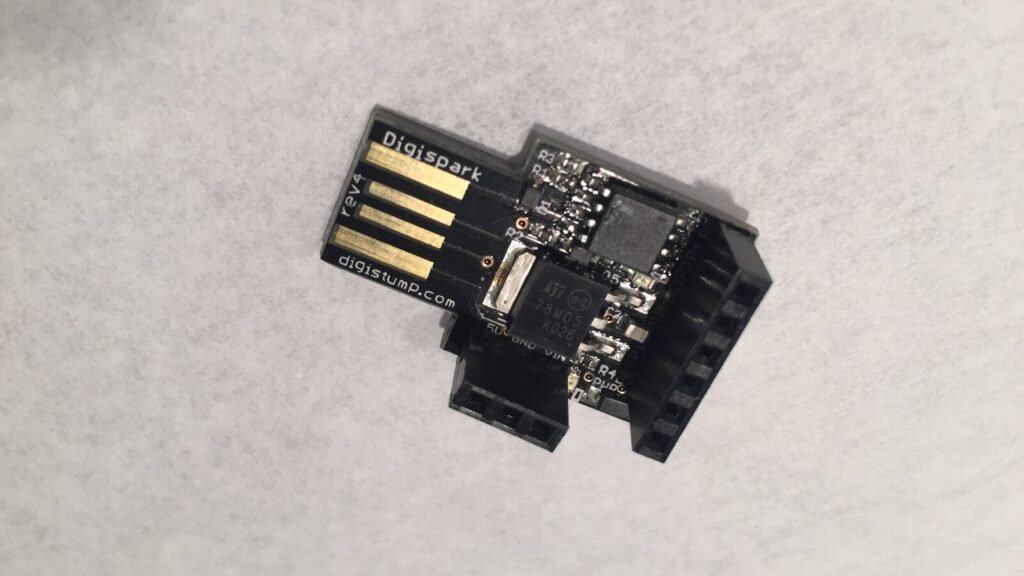
A Digispark (ATtiny85) has no USB chip: the micronucleus bootloader talks USB in software for about six seconds after you plug it in, as USB ID 16D0:0753, and only then hands over to your sketch. On Windows 11, “Unknown USB Device (Device Descriptor Request Failed)” after that window is usually normal. The real fix is a libusb driver for 16D0:0753 and plugging in at the right moment.
⬇ micronucleus 2.6 command-line uploader for Windows + Zadig preset
Download micronucleus-cli v2.6 for Windows (255 KB)
Download the Zadig preset (micronucleus.cfg, 9 KB)
Zadig itself: zadig.akeo.ie (official) or our mirror in the Zadig guide. Digistump’s old Digistump.Drivers.zip (2016) is only on their GitHub release; the repository has no licence file, so we don’t mirror it, and Zadig replaces it on Windows 10/11 anyway.
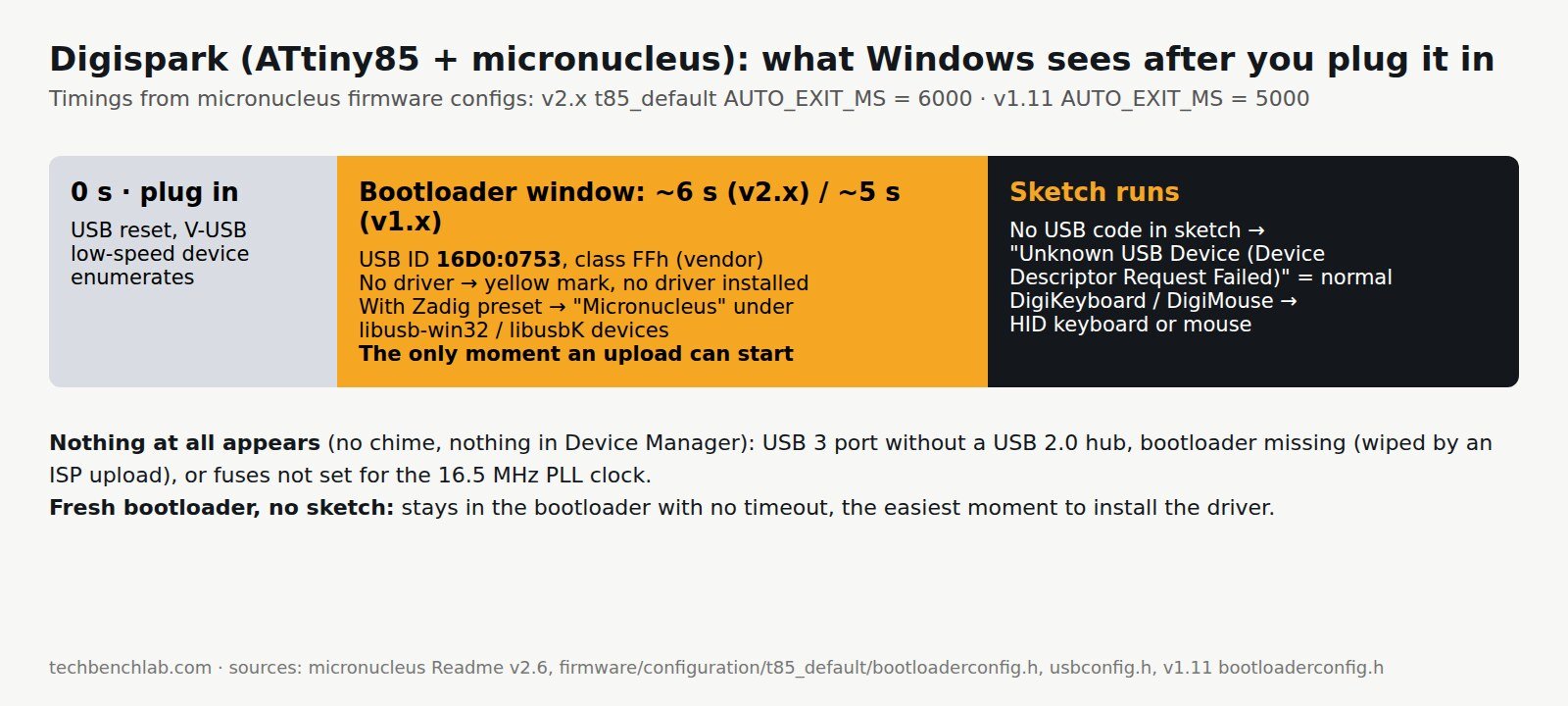
What Windows shows, and which phase you are in
The timings and IDs come from the micronucleus firmware itself: usbconfig.h sets VID 0x16d0, PID 0x0753 (“= Digistump”) and device class 0xff; the ATtiny85 configuration sets the timeout.
| What you see on Windows 11 | Phase | Normal? | Source |
|---|---|---|---|
A device with USB ID 16D0:0753 and a yellow mark (no driver), then it disappears |
Bootloader active, no driver installed | Expected until you install the driver below | firmware/usbconfig.h |
| “Micronucleus” under libusb-win32 devices, or “Unknown Device #1” under libusbK USB Devices | Bootloader active, driver installed | Yes: this is the state an upload needs | Zadig preset; Arduino forum, Win 11 thread |
| It stays there for about 6 s (v2.x) or 5 s (v1.x), then leaves | Bootloader timeout | Yes. AUTO_EXIT_MS 6000 in v2.x t85_default; 5000 in v1.11 |
t85_default/bootloaderconfig.h; v1.11 bootloaderconfig.h |
| It stays forever | Fresh bootloader, no sketch yet | Yes: “Clean Micronucleus devices without uploaded userprogram will not time out” | micronucleus Readme |
| “Unknown USB Device (Device Descriptor Request Failed)” after the window | Your sketch runs and has no USB code | Yes. Since v2.01 the bootloader releases D− before starting the sketch, which “may lead to a ‘Unknown device’ pop-up in Windows” | Readme, changelog v2.01 |
| A keyboard or mouse appears after the window | Sketch uses DigiKeyboard / DigiMouse | Yes | — |
| Nothing at all, no sound, nothing in Device Manager | USB never enumerated | No: see the problems below | Arduino forum threads |
The command-line tool reports the bootloader version once it finds the board (> Device has firmware version 2.6); micronucleus --info prints only that. The v2 uploader still talks to v1.x bootloaders, per the project Readme. The last 1.x release was v1.11.
Install the driver on Windows 11
- Unzip the preset and start Zadig. In Options, tick List All Devices.
- Device → Load Preset Device, pick
micronucleus.cfg. This fills in the name “Micronucleus” and USB ID16D0 0753, so you don’t have to catch the board in the drop-down during its short window. - Leave the target driver on libusb-win32. The project’s
Zadig.inisetsdefault_driver = 1(libusb0.sys), which matches thelibusb0.dllin the v2.6 zip. An Arduino forum moderator reports libusbK working as well. Click Install Driver. - Plug the Digispark in and check Device Manager: the entry from the table’s second row should appear for a few seconds.
Upload
The Readme says it plainly: start the tool before plugging in. Run micronucleus.exe --run blink.hex, wait for > Please plug in the device, then plug the board in. In the Arduino IDE (Digistump or ATTinyCore boards package) it works the same: click Upload, wait for the “plug in device now” message, then plug in. The IDE waits 60 seconds. Use --timeout 30 on the command line if you want a limit.
Common problems
- Nothing happens on a USB 3 port. This is the most common fix in the threads. In the Windows 11 thread (31 posts, 6,177 views) the board appeared under libusb-win32 only after the user bought a USB 2.0 hub. Another user found only one port of their PC worked. In micronucleus issue #228, a ThinkPad saw the board only once and then always through a USB 2.0 hub.
- Driver installed but still “unknown”. Check the USB ID in Zadig. If it isn’t
16D0 0753, the bootloader is not micronucleus. This thread ended with the likely cause: “Burn Bootloader” from the IDE through an Arduino-as-ISP writes a serial bootloader, and a later ISP upload wipes micronucleus. Reflasht85_default.hexwith a USBasp (avrdude guide) and upload only over USB afterwards. - Self-flashed bootloader never enumerates. V-USB needs the 16.5 MHz clock the bootloader derives from the internal PLL. The forum answer is the clock fuse option “16.5 MHz” and keeping the reset pin as reset when burning. Note that disabling reset (as one poster did by accident) means only a high-voltage programmer can change fuses again.
- Uploader never sees a board that Device Manager shows. Start the uploader first and plug in second; a board with a sketch leaves the bootloader after 6 s. On some hosts, disconnect other devices from a shared hub, as one user found.
FAQ
Why no COM port? The Digispark is not a serial device. Nothing appears under Ports (COM & LPT), and that is normal. If you need a COM port, see Arduino IDE 2 port not showing.
Is “Device Descriptor Request Failed” ever a real fault here? Only if it appears while the bootloader should be active. For the general Code 43 case, see our descriptor-failed guide.
Related guides
- Zadig + USBasp driver
- avrdude on Windows with a USBasp
- “Unknown USB Device (Device Descriptor Request Failed)”
- USB VID/PID lookup for bench tools
Sources
- micronucleus repository: Readme (v2.6 changelog),
firmware/usbconfig.h,firmware/configuration/t85_default/bootloaderconfig.h,commandline/micronucleus.c - micronucleus v1.11 bootloaderconfig.h (AUTO_EXIT_MS 5000)
- windows_driver_installer (Zadig preset)
- micronucleus releases
- Arduino forum: Digispark not recognized by Windows 11, Unrecognizable Digispark Starter, ATtiny85 + development programmer board
- GitHub issues #228, #77, #68
- Cover photo: Digispark rev4 by ArnoldReinhold, CC BY 3.0, rotated and cropped.