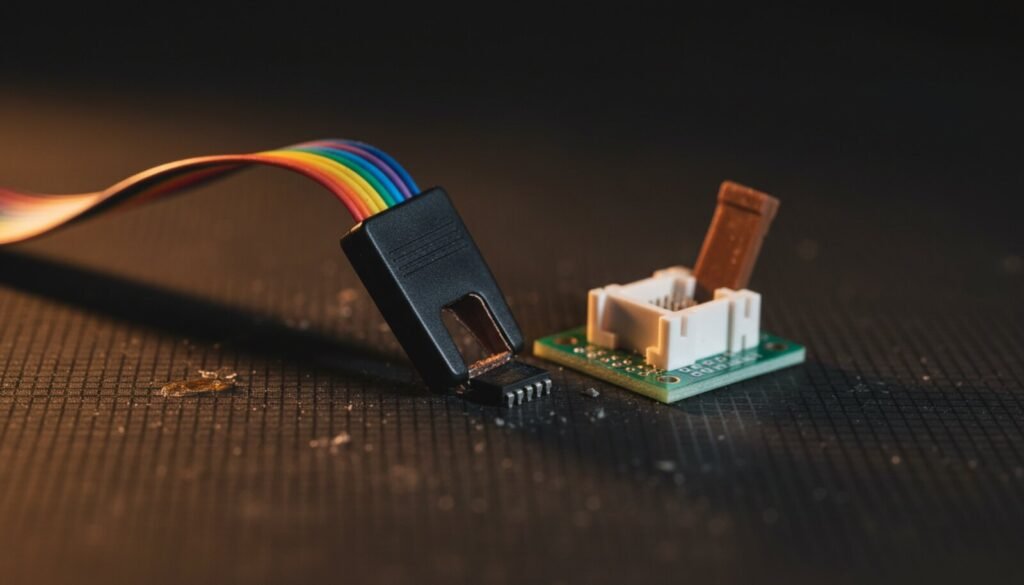
NeoProgrammer is the software most people end up wanting once their $5 CH341A refuses to recognise a chip. It reads more parts than the software that came on the mystery CD, it handles SPI NAND and Microwire and AVR, and it is free. The problem is not the program. The problem is that there is no official website to get it from, and the search results are a swamp of ad-wrapped mirrors that all claim to be “the official download”.
So we did the boring work: pulled the file from three unrelated mirrors, hashed every one, opened the binary, and read the changelog the author actually ships inside the folder. Here is what is real, what to download, and how to prove that what you got is the same file we looked at.
What NeoProgrammer Actually Is
NeoProgrammer is a Windows chip-programming front end for CH341A-based programmers (the black and green USB sticks) and for the USBasp. The version resource inside the executable names the author as TTAV134 — that is the only authorship claim that comes from the software itself, and it is the one we trust. It is closed source. It is widely described as a descendant of the open-source AsProgrammer, and the two feel related on screen, but no source has ever been published, so treat the lineage as reported rather than proven.
The last release is 2.2.0.10. The executable has not moved since. The chip database is a separate file (chiplist.dat) that has been updated after the program itself froze — the copy in the package we verified is dated December 2023, while the human-readable devicelist.txt still carries the 2.2.0.9 header, 1629 devices, chiplist date 29/09/2021. That mismatch is normal here, not a sign of a bad download.
There Is No Official NeoProgrammer Website
This is the part nobody tells you. We checked the sites that rank for “neoprogrammer download”:
- The domain that looks most official serves a file called
CH341B-NeoProgramer-main.zip. That is not a build. It is a GitHub repository downloaded as a zip and re-uploaded — a zip containing another zip and a RAR. - That GitHub repository has a
LICENSEfile containing the GNU GPL v3. It was added by the uploader. The software is closed source and the author never released it under the GPL. The licence in that repo means nothing. - The author’s own distribution has always been forum posts, several of which require registration to see the attachment.
None of that makes the program dangerous. It does mean the usual advice — “always download from the official site” — has no target here. The only defence left is verifying the bytes, which is exactly what a hash is for.
NeoProgrammer 2.2.0.10 (CH341A / USBasp)
Download from the verified mirror
We are not hosting this one. NeoProgrammer is closed-source freeware with no published licence, so we have no permission to redistribute it — and we say so rather than quietly mirroring it anyway. The link above points at a community GitHub mirror whose contents we downloaded and hashed ourselves. Check it against the numbers in the next section before you run anything.
Verify What You Downloaded
We pulled NeoProgrammer from three mirrors with no connection to each other, uploaded years apart. All three shipped a byte-identical executable:
| What | Value |
|---|---|
| File | NeoProgrammer.exe, version 2.2.0.10 |
| Size | 4,214,272 bytes |
| SHA-256 | 36fed4eea63e808f9ceb3eaa91a003690946a179df90787d757b76931b87e717 |
| MD5 | 32e86e5df8e3ef21576509141a87ce1a |
| Version resource | CompanyName TTAV134, ProductName NeoProgrammer |
To check your copy, open PowerShell in the folder and run:
Get-FileHash .NeoProgrammer.exe -Algorithm SHA256
If it does not match, you have a different build or a repackaged one — delete it and get another copy. A mirror that “adds a crack” or “removes the limit” is repackaging a free program, and the only thing it can be adding is something you don’t want.
The folder itself is also a fingerprint. A genuine 2.2.0.10 package contains NeoProgrammer.exe, chiplist.dat and chiplist.zip, CH341DLL.DLL, libusb0.dll, devicelist.txt, NeoProgrammer_changes.txt, Import.xml, settings.xml, and folders named Drivers, Doc, Adapters and scripts. There is no installer and no setup wizard — you unzip it and run the .exe. Anything calling itself a NeoProgrammer installer is somebody else’s wrapper.
One harmless oddity worth knowing: the mirrored settings.xml is somebody’s used configuration, complete with their old download path. Delete it and the program writes a fresh one on first run.
Drivers: Two Different Devices, Two Different Answers
This trips up more people than the download does.
CH341A programmers use the manufacturer’s WCH driver. The package ships it in DriversCH341A — run SETUP.EXE, or install the same CH341PAR driver we host in the CH341A + AsProgrammer guide. Do not point Zadig at a CH341A you intend to use with NeoProgrammer: replacing the WCH driver with WinUSB makes the device invisible to this program. (The exception is flashrom on Windows, which wants the opposite.)
USBasp uses libusb — that is what the bundled libusb0.dll is for — and the device itself still needs the libusb-win32 driver installed, which is the job Zadig does. Our Zadig + USBasp guide covers that end.
There is a second USBasp trap that is documented only inside the changelog: releases 2.2.0.5 and 2.2.0.7 each shipped new USBasp firmware and made the upgrade mandatory. If you jumped to 2.2.0.10 with an old USBasp firmware still flashed, AVR and I²C operations misbehave in ways that look like bad wiring. Flash the firmware before you start blaming your cables.
Also from the changelog: programmers built on the CH552 chip — sold as “Minpro 341” — were deliberately excluded. They look like a CH341A and they are not. NeoProgrammer will not drive them, and no driver fixes that.
The 3.3 V / 5 V Problem on the Black CH341A
The author ships a short PDF about this in DocCH341Programmers, and it explains a failure everyone eventually hits. On the black CH341A, the ZIF socket’s VCC is regulated down to 3.3 V, but the CH341A chip and its signal pins still swing at 5 V. Most chips tolerate it. Some — cFeon, XTX and XMC SPI flash are the ones named — do not, and they read garbage or die. Other parts genuinely need 5 V and won’t run at 3.3 V at all.
The fix in that document is a hardware modification: lift pin 28 of the CH341A and wire it to the centre pin of the 3.3 V regulator, giving you a jumper-selectable 3.3 V / 5 V programmer. The document carries a warning in capitals that is worth repeating — do not connect 3.3 V to pin 9 of the CH341A, or the chip burns the moment you select 5 V. If you are not comfortable lifting a QFP pin, buy a 1.8 V/3.3 V adapter board instead; the schematics for those are in the Adapters folder too.
What NeoProgrammer Does That the Bundled Software Doesn’t
| Capability | Why it matters at the bench |
|---|---|
| SPI NAND, including 2-plane and multi-die parts | W25M512JV, W25Q01JV, W25M02GV and the stacked NOR+NAND SpiStack devices are handled properly instead of reading half the chip |
| OTP / security registers | EON, Winbond and GigaDevice security registers are readable with the SPI “Expert” option ticked |
| Microwire 93Cxx / 93Sxx, I²C, F-RAM | Car-cluster and appliance EEPROMs, plus SPD modules — most need the adapter schematics shipped in the package |
ASUS .CAP files |
Files are analysed on open and converted to raw binary, so a motherboard BIOS capsule flashes without manual header surgery |
| Pascal scripting | A Delphi-style interpreter with loops, conditionals and bitwise operators; the scripts folder has working examples for OTP reads and I²C |
| AVR via USBasp | Fuse and lock bit editing from the same window, no avrdude command line |
The chip list is not editable in 2.2.x, but you can import definitions into the database — the instructions live inside chiplist.zip, and Import.xml is the file the importer reads.
Where This Sits on the Bench
A CH341A with NeoProgrammer is a serial-flash tool. It is superb value for BIOS chips, TV mainboard EEPROMs, router flash and monitor firmware. It is not a universal programmer, and it will not help you when the chip you need is parallel NOR, eMMC or a microcontroller with its own protocol.
When you hit that wall, the honest next steps are the RT809H for eMMC and NAND, or a TL866II Plus / T48 running XGpro for the long tail of logic and microcontrollers. And if you would rather stay on open, verifiable software for everyday SPI work, AsProgrammer is MIT-licensed, hosted here, and covers the common jobs.
FAQ
Is NeoProgrammer safe? The executable itself is consistent across unrelated mirrors, which is the strongest signal available for a program with no official home. The risk is not the program — it is the wrapper some mirrors put around it. Verify the hash and you have removed that risk.
Why does my antivirus flag it? Unsigned Delphi executables that drive USB hardware get flagged constantly, and this one is unsigned. That is not proof it is clean either — which is precisely why we published the hash instead of telling you to click “allow”.
NeoProgrammer or AsProgrammer? AsProgrammer if the chip is a common SPI NOR part: it is open source and auditable. NeoProgrammer when you need SPI NAND, Microwire, security registers, .CAP files or USBasp support in one window.
It says the chip is 00 00 00 or won’t detect. In order: reseat the clip (pin 1 orientation), check that VCC actually reaches the chip, lower the SPI speed in settings from 1.5 MHz, and confirm the board is unpowered. In-circuit reads fail when the rest of the board loads the bus — desolder the chip if the numbers stay nonsense.
Will it ever be updated? The executable has been frozen at 2.2.0.10 for years. Chip definitions are the only thing that has moved since, via updated chiplist.dat files. Plan on this being finished software.
Verdict
NeoProgrammer is worth having, and the download situation around it is genuinely bad. Take the file, check that it hashes to 36fed4ee…b87e717, install the WCH driver rather than Zadig, upgrade your USBasp firmware if you use one, and read the 3.3 V document before you plug in an XTX part. Do that and you have a capable tool. Skip the hash check and you are trusting a stranger’s re-upload with a program that talks directly to your hardware — which is the one habit this whole site exists to break.