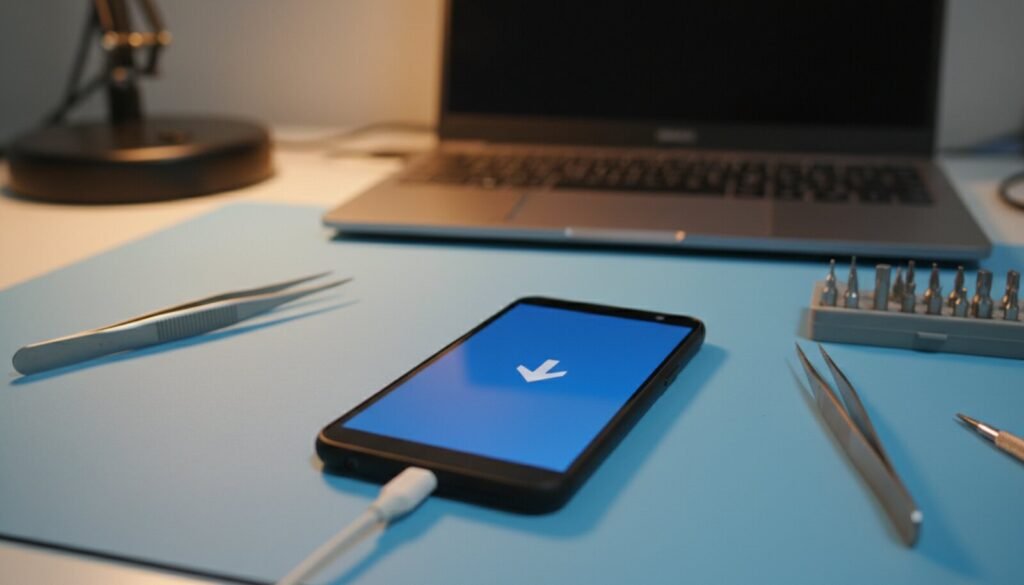
When Odin does not see a Samsung phone in Download mode, the cause is almost always one of three things: the Samsung driver is not bound to the Download-mode USB ID, something else (Zadig, a Heimdall setup) took that ID over, or on a 2026 flagship the phone never reached the real Download mode at all. The USB ID in Device Manager tells you which in ten seconds.
Every name and ID below was read from the INF files inside Samsung’s own installer, version 1.9.5.0. Last checked: 20 November 2026.
⬇ Samsung Android USB Driver for Windows v1.9.5.0 (official link)
| Package | Driver version (INF) | Catalog OS list | Architectures |
|---|---|---|---|
Installer v1.9.5.0, folder 25_escape |
2.21.4.0 (04/08/2026) | Windows 7 to Windows 10/11 (2:6.1 … 2:10.0) | x86, x64, ARM64 |
Same installer, legacy folders (e.g. 03_Swallowtail, 16_Shrewsbury) |
5.30.14.0 (2012), 5.28.2.1 (2011) | XP to Windows 8 (2:5.1 … 2:6.2) | x86, x64 |
| Microsoft Update Catalog, “SAMSUNG Electronics Co., Ltd. USB Driver Update” | 2.21.4.0 (listed 7 Apr 2026) | Windows 10 1809 and later | per entry |
Step 1: install, then read the USB ID
- Run the installer from Samsung’s page and reboot. The catalog is Microsoft-signed, so you do not need to disable driver signature enforcement, a step many download sites still recommend.
- Put the phone in Download mode (on most current models: power off, hold Volume Up + Volume Down and plug the cable in) and connect it.
- Open Device Manager → right-click the new entry → Properties → Details → Hardware Ids. Compare the
VID_04E8&PID_xxxxpair with the table below.
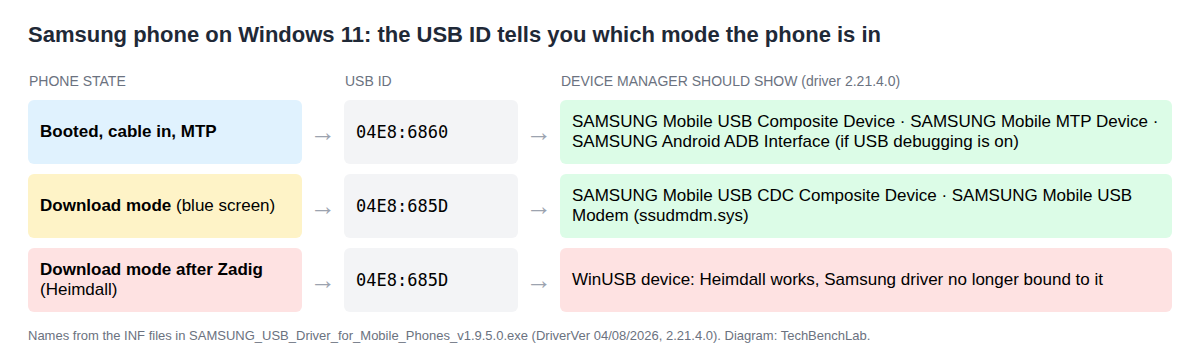
The table: Samsung USB ID × mode × Device Manager name
The 2.21.4.0 set matches 16 Samsung product IDs. The mode labels are the comments Samsung wrote next to each ID in ssudbus.inf; the names are the strings each INF installs.
| USB ID | Mode (Samsung’s INF comment) | Parent device name | Functions the driver adds |
|---|---|---|---|
| 04E8:685D | CDC (Download mode; Heimdall’s supported ID) | SAMSUNG Mobile USB CDC Composite Device | SAMSUNG Mobile USB Modem, Serial Port, ADB / Bootloader Interface |
| 04E8:6860 | MTP (normal file transfer) | SAMSUNG Mobile USB Composite Device | SAMSUNG Mobile MTP Device, SAMSUNG Android ADB Interface |
| 04E8:685E | UMS | SAMSUNG Mobile USB Composite Device | Modem, Serial, ADB |
| 04E8:6861 / 6862 / 6863 | RNDIS+UMS / RNDIS+MTP / RNDIS only (USB tethering) | SAMSUNG Mobile USB Composite Device | SAMSUNG Mobile USB Remote NDIS Network Device |
| 04E8:6864 / 6866 / 6867 | RNDIS+Dynamic / PTP+Dynamic / RNDIS+PTP+Dynamic | SAMSUNG Mobile USB Composite Device | Modem, Serial, ADB, NCM networking |
| 04E8:6868 | Modem+Diagnostic+ADB | SAMSUNG Mobile USB Composite Device | SAMSUNG 1xEVDO USB Modem Phone |
| 04E8:686C | MIDI | SAMSUNG Mobile USB Composite Device | Modem, Serial, ADB |
| 04E8:68CF | UVC+Dynamic (phone as webcam) | SAMSUNG Mobile USB Composite Device | SAMUSNG Mobile UVC Camera (Samsung’s typo) |
| 04E8:6601, 04E8:68C3 | Download mode of Galaxy S (2010) and Droid Charge, per Heimdall | Not in 2.21.4.0; only in the 2011–2012 legacy folders, whose catalogs stop at Windows 8 | |
Common problems and the fix
- Phone charges, no new device appears. No USB ID at all is a cable or port problem, not a driver one: a charge-only cable or a damaged port. In a 2016 Android Central thread (Galaxy S6 Edge seen when booted, not in Download mode) the advice was exactly that: drivers, then cables and ports. Try a rear USB port, not a hub. If Windows shows “Unknown USB Device (Device Descriptor Request Failed)”, see our guide to that error.
- 685D appears under “Other devices” or with a yellow mark. The Samsung driver is missing. Install v1.9.5.0 and replug. On Windows 10 1809+ Windows Update can also deliver the same 2.21.4.0 package, per the Update Catalog entries.
- 685D appears as a WinUSB / libusb device. Someone ran Zadig for Heimdall. Heimdall’s own Windows README tells you to put WinUSB on “Samsung USB Composite Device”, and to undo it by choosing “the original Samsung Composite driver” again in Device Manager (Update driver → Browse → Let me pick). Do that and Odin sees the phone again. More on what Zadig replaces in our Zadig guide.
- Galaxy S26 or Z Fold 7 shows only a blank blue screen. According to Android Authority (12 March 2026), One UI 8.5 on those models requires Maintenance mode to be turned on before Download mode is reachable; the report comes from tipsters and Samsung has not commented. Samsung documents Maintenance mode under Settings → Device care.
- Old phone on Windows 11. In a Samsung Community thread a Galaxy S III Duos (I9300I) was not recognised by Odin on Windows 11, and a Samsung Care Ambassador replied that the model isn’t supported with Windows 11. The table explains part of it: pre-2013 download IDs are only covered by legacy drivers whose catalogs stop at Windows 8.
- “MTP USB Device”, Code 10, phone only charges. That is Windows’ own MTP stack, not Download mode (Microsoft Q&A, Windows 11 22H2). The Samsung package carries its own MTP INF, which names 04E8:6860 “SAMSUNG Mobile MTP Device”; install it and replug before chasing the Code 10.
FAQ
Do I need USB debugging for Odin? No. USB debugging only adds the ADB interface in normal mode. Download mode is a separate USB personality (685D) with its own driver.
Does it work on a Snapdragon (ARM64) laptop? The 2.21.4.0 INFs have NTarm64 sections and ship ARM64 binaries of the bus, modem and serial drivers.
Where do I get Odin? Samsung has never published Odin for the public; per Wikipedia, circulating copies are believed to be leaks. We do not link them. Heimdall is the open-source (MIT) alternative.
Related guides
- Qualcomm HS-USB QDLoader 9008 driver
- MediaTek USB VCOM driver on Windows 11
- USB VID/PID lookup for bench tools
Sources
- Samsung Developer: Samsung Android USB Driver for Windows (v1.9.5.0; INF files
ssudbus.inf,ssudmdm.inf,ssudmtp.inf,ssudadb.inf,ssudrnds.infread from the installer) - Microsoft Update Catalog: search “SAMSUNG Mobile USB”
- Heimdall: BridgeManager.h (download-mode IDs 6601, 685D, 68C3), Win32 README
- Samsung: Use Maintenance mode on your Galaxy phone or tablet; Android Authority: Download mode behind Maintenance mode
- Threads: Samsung Community; Android Central; Microsoft Q&A