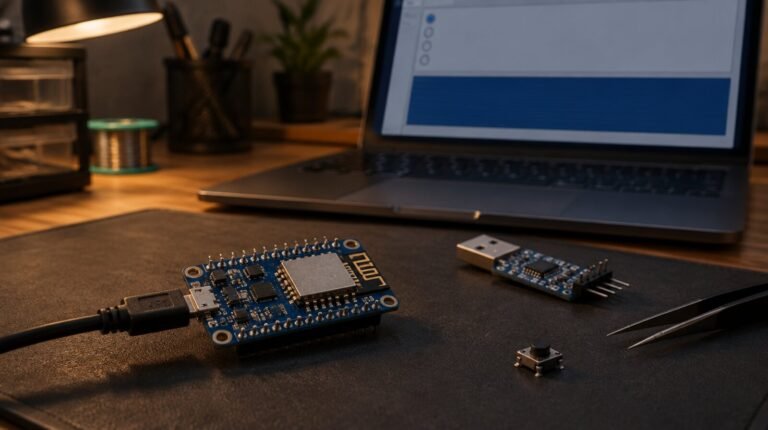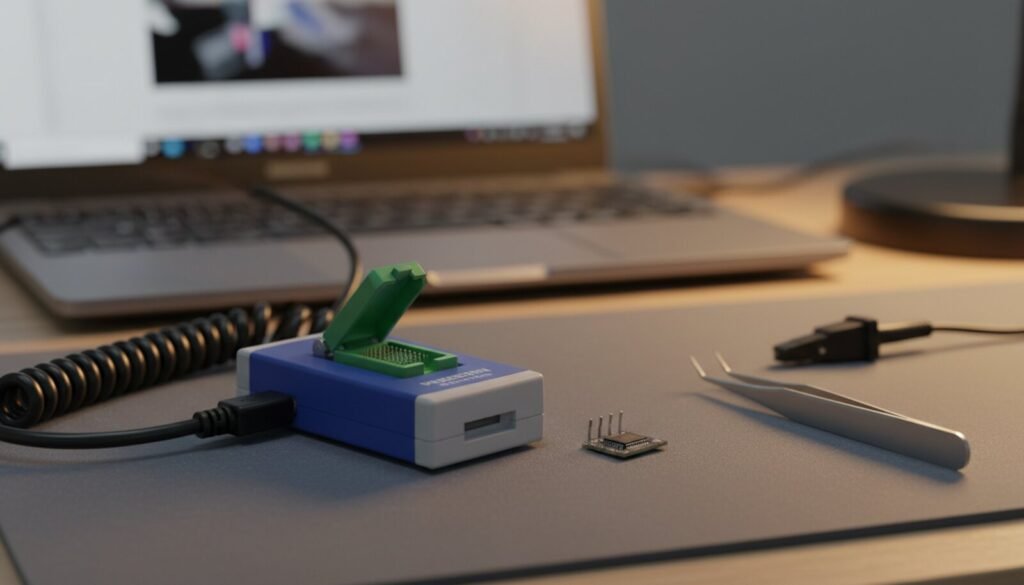
The EZP2019+ and the EZP2023+ are the small blue USB programmers for 25-series SPI flash and 24/93/95 EEPROMs. Both report the same USB ID, 1FC8:310B, both use the old libusb-win32 kernel driver, and both ship as a folder with no installer. What no seller’s page says is which of the two driver folders in the EZP2023+ package is actually signed for Windows 10 and 11, and which chips the software’s database does not contain. We opened both official packages, checked every catalog signature and decoded both chip databases.
⬇ EZP2023+ ver3.0 and EZP2019+ ver2.0: official packages (not mirrored)
Official download page (HKLRF, the vendor’s distributor)
Why there is no TechBenchLab mirror this time: neither package contains a licence or readme that permits redistribution, and the executables are unsigned (EZP2023+.exe, 1,278,976 bytes, SHA-256 93136a0e…652de; EZP2019+.exe, 1,278,464 bytes, SHA-256 a79be904…16b29). Download from the distributor, compare the SHA-256 of the archive with the values above, and keep a copy. The open-source side: bokic/ezp2019 (MIT) drives the same hardware from a Linux command line, and EZP2019-EZP2025_chip_data_editor (GPL-3) edits the .Dat chip database the Windows software reads.
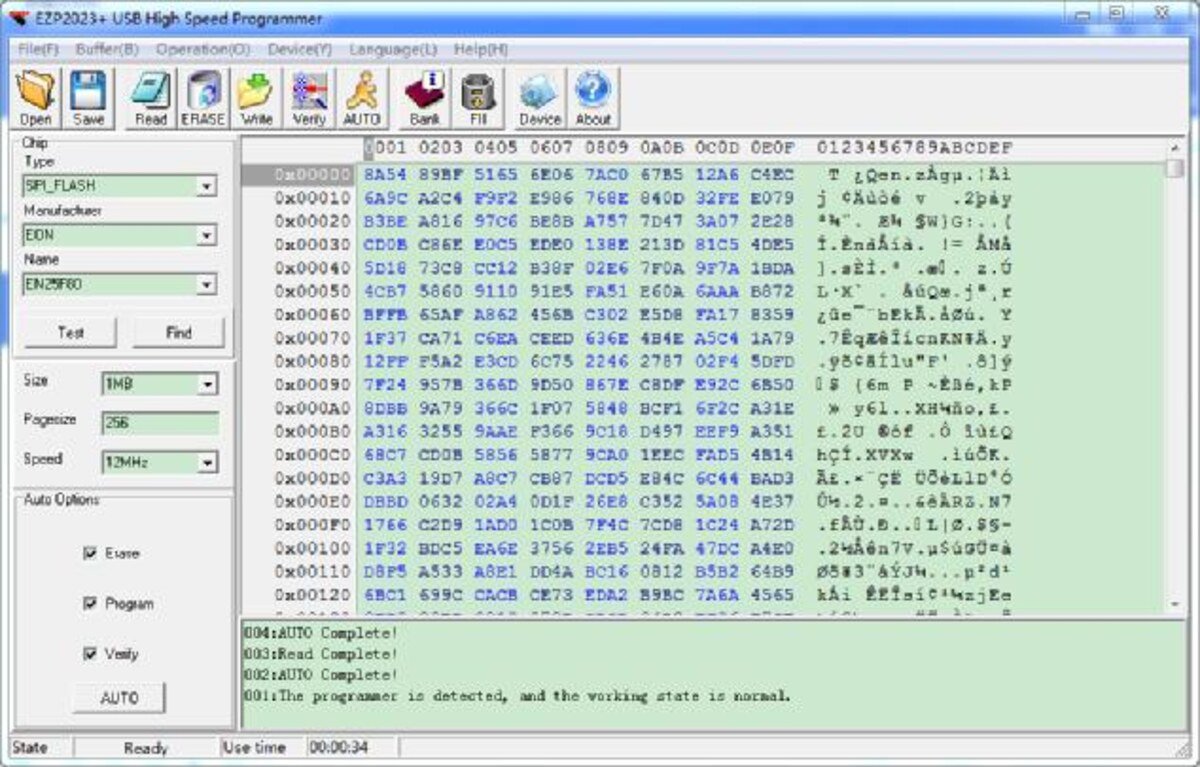
What is inside the two packages, and which driver folder is signed
The INF binds USB\VID_1FC8&PID_310B to libusb0.sys 1.2.6.0, the last libusb-win32 release, dated 17 January 2012 on SourceForge. On 64-bit Windows a kernel driver only loads if a signed catalog covers the exact files it ships with, including the INF; Microsoft’s documentation says “even a single-byte change” invalidates the signature. That rule is the whole story of the table below.
| Package / folder | INF and device name | DriverVer | Catalog signed by (x64) | Catalog covers | Installs on Win 10/11 x64? |
|---|---|---|---|---|---|
EZP2019+ ver2.0 → driver\ |
EZP2019+.inf, shows as “EZP2019+” under “usb programmer device” |
08/22/2020, 1.2.6.0 | Microsoft Windows Hardware Compatibility Publisher (cert valid from Mar 2020) | ezp2019+.inf, libusb0.sys, libusb0.dll; OSAttr 2:10.0 |
Yes, no test mode needed |
EZP2023+ ver3.0 → driver\ (and the inner driver.rar) |
EZP2023+.inf, renamed copy of the 2019 INF, shows as “EZP2023+” |
08/22/2020, 1.2.6.0 | Same Microsoft catalogs as above, byte-identical (ezp2023+x64.cat SHA-256 starts 51b5ce3b, same as ezp2019+x64.cat) |
Still lists ezp2019+.inf. The file actually present, EZP2023+.inf, is not in the catalog |
No: signature does not match, Windows refuses or marks the device Code 52 |
EZP2023+ ver3.0 → Win10 Win11_driver\ |
WinUSBComm.inf, shows as “WinUSBComm” under “libusb-win32 devices” |
01/18/2012, 1.2.6.0 | Microsoft Windows Hardware Compatibility Publisher; libusb0.sys re-signed 31 Oct 2022 by a Shenzhen company via DigiCert |
winusbcomm.inf, libusb0.sys, libusb0.dll; OSAttr 2:10.0 |
Yes. This is the folder to point Device Manager at |
Every value in that table comes from the files themselves: the INF text, openssl pkcs7 -print_certs on each .cat, and osslsigncode verify on each .sys.
Installing on Windows 11, step by step
- Extract the archive somewhere permanent, for example
C:\EZP2023+. The software is portable and readsEZP2023+.DatandEZP2023+.inifrom its own folder, so do not move the .exe alone. - Plug the programmer in with no chip in the socket. Device Manager lists it under “Other devices” as WinUSBComm, the string the device itself sends.
- Right-click → Update driver → Browse my computer → point at
EZP2023+ ver3.0\Win10 Win11_driverwith “Include subfolders” ticked. For the EZP2019+ package use its singledriverfolder. Do not runinstaller_x64.exefrom the 2023driverfolder: it stages the mis-signed INF. - Accept the publisher prompt. The device moves to “libusb-win32 devices → WinUSBComm” (2023+) or “usb programmer device → EZP2019+” (2019+).
- Run the .exe. The log must read “The programmer is detected, and the working state is normal.” and State must say Ready. Not connected means the driver is not bound.
Zadig also works, but select libusb-win32 as the target, not WinUSB: the software talks to libusb0.dll. One Transistor documented that route, and the trap of replacing the wrong device’s driver, in its EZP2023+ write-up.
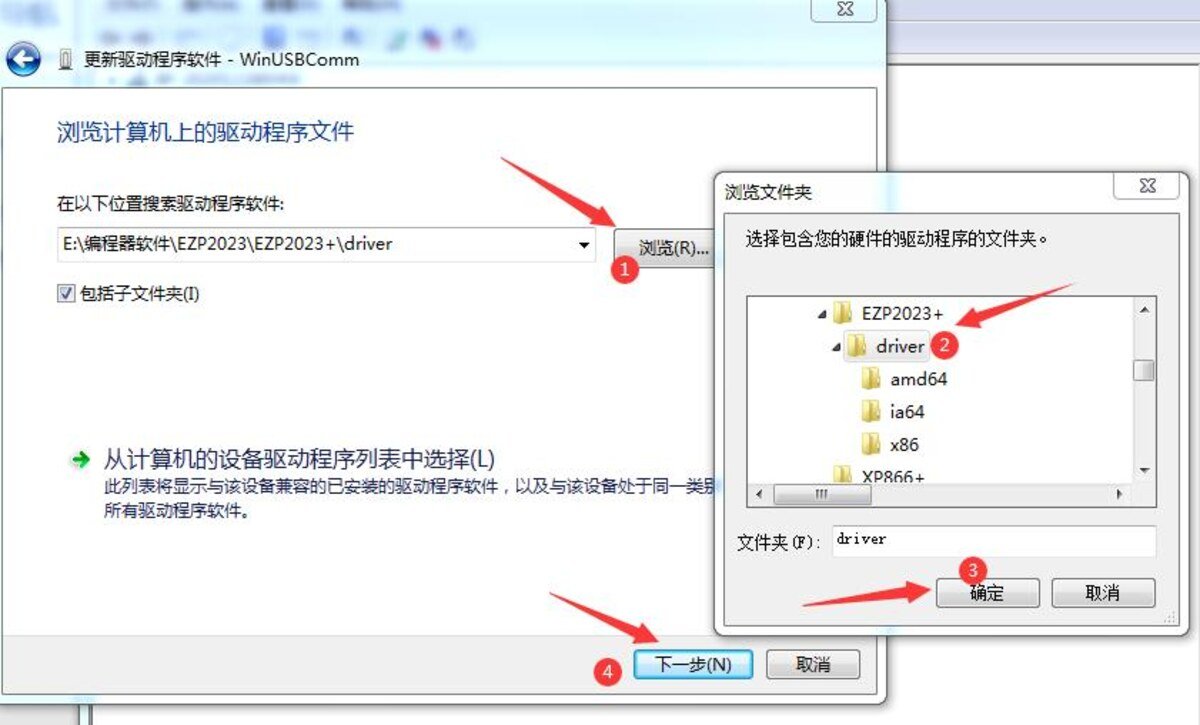
Win10 Win11_driver, not the one shown here.EZP2019+ vs EZP2023+ vs EZP2025: what the databases and manuals actually say
The chip list is a 68-byte-per-record binary file, EZP2019+.Dat or EZP2023+.Dat, whose layout (name, JEDEC ID, size, page size, protocol, flags) is documented in the bokic project’s ezp2019_gen_header.py; we parsed both files with that layout. The EZP2025 column comes from the vendor’s Chinese EZP2025 manual (Zigong Yaojie Electronic Technology).
| EZP2019+ (ver2.0, .Dat of 27 Oct 2020) | EZP2023+ (ver3.0, .Dat of 16 Oct 2022) | EZP2025 (manual, 2024) | |
|---|---|---|---|
| Chips in database | 896 from 47 manufacturers | 890 from 50 manufacturers (98 added, 108 removed, 186 records changed) | not published |
| 25-series SPI flash | 347 | 356 (+MX25L12873E, GD25Q512, MT25QL512AB…) | yes |
| 24 / 25 / 93 / 95 EEPROM | 193 / 136 / 220 / none | 192 / 111 / 219 / 12 (ST M95010 → M95M02) | 24, 25, 93, 95 listed |
| Largest SPI parts listed | 16 entries above 16 MB, up to 64 MB (GD25Q256MC, MX66L51235F, S25FL512S) | 17 entries above 16 MB, same list plus MT25QL512AB | “large-capacity chips supported” |
| Entries named as 1.8 V | 42 SPI entries carry “(1.8V)” in the name | 33; the MX25U4035 → MX25U25635F rows lost the “(1.8V)” suffix although they are 1.8 V parts | 1.8 V parts need the 1.8 V adapter “or programming fails” (manual, p. 2) |
| USB interface | USB 2.0 full speed, “12 Mbps” (manual) | same | same, and driver-free; the manual says it is slower because of that |
| Windows driver | libusb-win32 1.2.6.0, Microsoft-signed catalog | same driver; only the Win10 Win11_driver folder is correctly signed |
none to install |
| Auto-detect | 25-series SPI flash only; manual warns “some 8M or more chips are detect ID unstable”, select manually and lower the speed | same wording | |
| Can set status register / QE bit | no function in the software (Win-Raid thread) | ||
The 2023 database is not a superset of the 2019 one: it merged the “24Cxx 3V / 5V” generic rows, dropped the HUAJIE K24Cxx family and some ST M24Cxx R/W variants, and added the Microchip 24AA/24LC/25AA/25LC and ST M95 families. Keep both folders.
The five problems in the threads, and what the files say about each
1. “Windows cannot verify the digital signature” (Code 52) or the install silently fails
You pointed Windows at the 2023 driver folder. Its catalogs hash ezp2019+.inf, not the EZP2023+.inf that is actually there, so the package is unsigned as far as PnP is concerned. Microsoft’s text for Code 52 says the only end-user fix is a correctly signed driver: that is the Win10 Win11_driver folder. No test mode, no disabling of signature enforcement.
2. “Chip not detected”, or detected as something else
Detection only works for 25-series SPI flash whose JEDEC ID is in the database. A Win-Raid user’s MX25L12872F kept being detected as MX25L12805D; another saw an MX25L6473F reported as a “24 EEPROM Atmel chip”; a Badcaps thread asks why an ISSI 128 Mbit part cannot be read. The databases explain all three: neither file contains MX25L12872F, MX25L6473F or any ISSI part above 16 Mbit (the only ISSI rows are IS25LQ16B and IS25LP016D). The fix is Device → Add (type, manufacturer, name, delay, class, size, page, voltage, algorithm, JEDEC ID, all described in the manual), or a same-size, same-voltage neighbour from the list, which is also what a Rossmann Group admin told a user whose EZP2019 “rarely detects the chip”.
3. The dump is all FF, or alternates between FF and data
A connection problem, not a software one: a Win-Raid thread with a 1.8 V W25Q256JW read through a pogo probe got FF blocks until the pins were sorted out. The vendor’s FAQ 5 is blunt about in-circuit clips: “most mainboards need to be removed”, because the board pulls the supply down and “the chip timing is disordered”. Read twice and compare; the manual itself says to verify after reading.
4. 1.8 V chips: the adapter is mandatory, and the data lines are the real risk
The manual lists 5 V, 3.3 V and 1.8 V, and says 1.8 V chips “need to borrow 1.8V adapter”. Do not trust the list to tell you which: the 2023 database removed the “(1.8V)” tag from the Macronix MX25U rows, and MX25U is a 1.65–2.0 V family (MX25U12835F). A second issue is not in the manual at all: One Transistor put a scope on an EZP2023+ and found it powers the chip at 3.3 V while driving the data lines at 5 V, the same mixed-level design as the stock CH341A in our CH341A 3.3 V mod guide. A 3.3 V W25Q128 survived it; a 1.8 V die without the level-shifting adapter is another matter.
5. Verify errors, and the speed box that is not what it says
The manual’s advice for read or write errors is to lower the speed. One Transistor measured the clock behind each setting: “12 MHz” really is 12 MHz, but “6 MHz” came out at 8 MHz and “750 kHz” at 4 MHz, so only the lowest positions change anything meaningful. A 16 MB W25Q128 read in 2 min 16 s at the top setting, the practical ceiling of a 12 Mbps full-speed USB device. Erase 25-series flash before writing; 24, 93 and 95 EEPROMs do not need it.
FAQ
Can I use the EZP2023+ software with an EZP2019+? Both packages bind the same hardware ID, VID_1FC8&PID_310B, with the same driver, and the Badcaps thread “EZP 2023+ software & Drivers Needed” is people doing exactly that. The chip lists differ, as the table shows.
Linux or macOS? No vendor software exists. On Linux, bokic/ezp2019 reads, writes, verifies and erases from the command line and ships a udev rule for 1FC8:310B. For macOS there is nothing; a CH341A with flashrom is the usual answer.
Who makes it? No manufacturer website exists. The EZP2023+ Chinese manual names two different Dongguan companies in its own copyright lines and the EZP2025 manual a third, in Zigong. Treat the distributor’s archive and its SHA-256 as the reference.
Related guides
- CH341A + AsProgrammer, the cheaper board with the bigger software ecosystem
- CH341A 3.3 V mod: the same mixed-voltage problem, measured
- TL866II Plus vs T48 vs T56, when you outgrow an SPI-only programmer
- SOIC8 test clips, and why in-circuit reads fail
- USB VID/PID lookup for bench tools
Sources
- HKLRF download page listing EZP2023 USB Programmer application software (10 MB, 02/11/2022) and EZP2019 (1.23 MB, 24/08/2020); archives EZP2023.rar and EZP2019-2.0.rar, hashed 16 Oct 2026
- Inside the archives:
EZP2023+.inf,WinUSBComm.inf,EZP2019+.inf, the six.catfiles,libusb0.syssignatures,EZP2023+ user manual.pdf,EZP2019+ user manual.pdf,EZP2023+ USB高速编程器说明书.pdf,EZP2019+.Dat,EZP2023+.Dat - EZP2025 user manual (Chinese, Zigong Yaojie Electronic Technology), PDF copy
- libusb-win32 1.2.6.0 release files, 17 Jan 2012
- Microsoft Learn: Catalog files and digital signatures; CM_PROB_UNSIGNED_DRIVER (Code 52)
- bokic/ezp2019 (MIT): VID/PID, endpoints, and
ezp2019_gen_header.pywith the .Dat record layout; bigbigmdm/EZP2019-EZP2025_chip_data_editor (GPL-3) - One Transistor, How to use the EZP2023+ USB Programmer (Dec 2023): USB ID, Zadig route, measured clock table, 3.3 V supply with 5 V data lines
- Threads: Win-Raid 35395 (Jul 2020), 37685 (Aug 2021), 99381 (Jan 2024), 102312 (Jun 2024); Rossmann Group EZP2019 BIOS flashing (Oct 2020); Badcaps 100814 and 105983