Your monitor works, but Windows calls it “Generic PnP Monitor” and refuses to offer anything above 1024×768. Or the same panel behaves on DisplayPort and misbehaves on HDMI. Both symptoms come out of the same 128 bytes, and the repair is either a five-minute registry override or a soldering iron, with almost nothing in between. Here is how to tell which one you have before the monitor comes apart.
⬇ Custom Resolution Utility (CRU) 1.5.3
CRU is written by ToastyX and published at monitortests.com. This is his cru-1.5.3.zip unmodified, with the copyright notice intact as his licence requires — SHA-256 9201e9770b4d3d2512ee7f7f979127e4a73e8f6bf77865a8570d662ba72f88c8, check it with certutil -hashfile cru-1.5.3.zip SHA256 before you trust anything, including us. He has given this away free since 2012 and asks for nothing but optional support on Patreon; if CRU saves your afternoon, go and read his thread.
What EDID actually is
EDID is one 128-byte block held in a small EEPROM inside the display. Your graphics card reads it over the DDC pins of the video connector, on an I²C bus, at address 0x50 — that is not folklore, it is a constant in the Linux kernel’s display code, #define DDC_ADDR 0x50, right next to #define EDID_LENGTH 128.
Two things in that block matter more than the rest. It opens with a fixed eight-byte header, 00 FF FF FF FF FF FF 00, which is how software recognises an EDID at all. And the last byte is a checksum, computed as 0x100 minus the sum of the first 127, so a healthy block’s 128 bytes add up to zero with the carry thrown away. One flipped bit anywhere invalidates the whole block: there is no per-field protection and no second copy.
Everything past byte 127 is an extension — normally a CEA-861 block carrying the HDMI audio and video modes. Blocks 2 and up need an extra step on the wire, a write to the segment pointer at 0x30, which is why some cheap adapters and KVMs read the first 256 bytes and nothing more.
Read it before you change anything
Run CRU and pick the display from the drop-down; “(active)” means the driver currently sees it. What you get is the monitor’s own EDID, parsed: detailed and standard resolutions, range limits, extension blocks, name and serial. Export it before the first edit. On Linux the same bytes come straight out of the kernel — cat /sys/class/drm/card1-HDMI-A-1/edid | edid-decode.
The reading tells you almost everything. A block that parses cleanly, with sensible timings and a real product name, means the EEPROM is fine and your problem is a mode the monitor never advertised. A block that comes back empty, nameless, or with no extension blocks means the data itself is damaged, and no amount of editing on this PC will fix the monitor.
The software fix: an override, not a repair
This is the sentence on ToastyX’s own page that people skip: “CRU creates software EDID overrides in the registry and does not modify the hardware.” Nothing you do in CRU is written to the monitor. You are telling this Windows install, through this graphics driver, to ignore what the panel says and believe your version instead.
That is exactly right for adding a refresh rate the monitor supports but never listed, removing a broken mode that makes the screen flicker, or correcting a FreeSync range. It does nothing for the next PC you plug in, nothing for a console, and nothing for the monitor itself. The requirements are narrower than most people expect:
| Windows | Vista or later. Windows XP has no EDID override mechanism at all |
| AMD / NVIDIA | Supported with the vendor driver installed |
| Microsoft Basic Display Adapter | Not supported. If Windows is running its own fallback display driver, overrides are ignored — install the real GPU driver first |
| Intel | Newer GPUs with current drivers. Skylake needs driver branch 15.45; Haswell/Broadwell 15.40; Haswell on Windows 7/8.1 15.36 |
Read the recovery procedure before your first edit, not after. Changes apply when you run restart.exe. If the display does not come back within 15 seconds, press F8 — that unloads every EDID override temporarily without deleting anything. To undo one display, use the Delete button and reboot; to undo all of them, run reset-all.exe and reboot, which works from safe mode too. A black screen from an override is always recoverable. Not knowing the key is what turns it into a reinstall.
When the override stops working
Here is the wall, in ToastyX’s words: “Windows 11 ignores EDID overrides for displays that don’t have a valid EDID. This can happen if the EDID is corrupted on the monitor. This will appear as PNP09FF – Generic Non-PnP Monitor in CRU with no resolutions or extension blocks listed.”
That is the whole diagnosis in one line: if CRU shows a non-PnP display with an empty list, the software layer has already declined to help. The data in the monitor is bad.
Before you reach for a screwdriver, do the free test ToastyX lists first, because it is the most useful bench fact here: “Usually each type of port has a separate EDID, so only one might be corrupted.” Plug the same panel into its other input. If DisplayPort enumerates properly and HDMI does not, you have localised the fault to one EEPROM on one port — not the panel, not the scaler, not the cable. That is a repair with an address.
The hardware fix: it is a 24Cxx at 0x50
Open the monitor and the part storing your EDID is the same family covered in our 24Cxx EEPROM guide — an eight-pin serial EEPROM, usually SOIC-8, near the input connector. The classic purpose-built part, Microchip’s 24LC21A, shows how tight the fit is: 128 × 8 bits, exactly one EDID block and not a byte more, with its seven-bit device code hardwired to 1010000 — 0x50 — and pins 1, 2 and 3 marked no-connect. No address straps to get wrong, because there is only ever one of these on the bus.
Two numbers from that datasheet change how you work. The page write buffer is eight bytes, so a full block is sixteen page writes with a wait after each, not one burst — the reason a write that “finished instantly” did not finish. And the part is rated for 1,000,000 erase/write cycles with over 200 years of retention, which tells you what the failure was: EDID EEPROMs do not wear out. They get corrupted by a firmware update that went wrong, a sagging rail during power-up, or ESD coming up the cable.
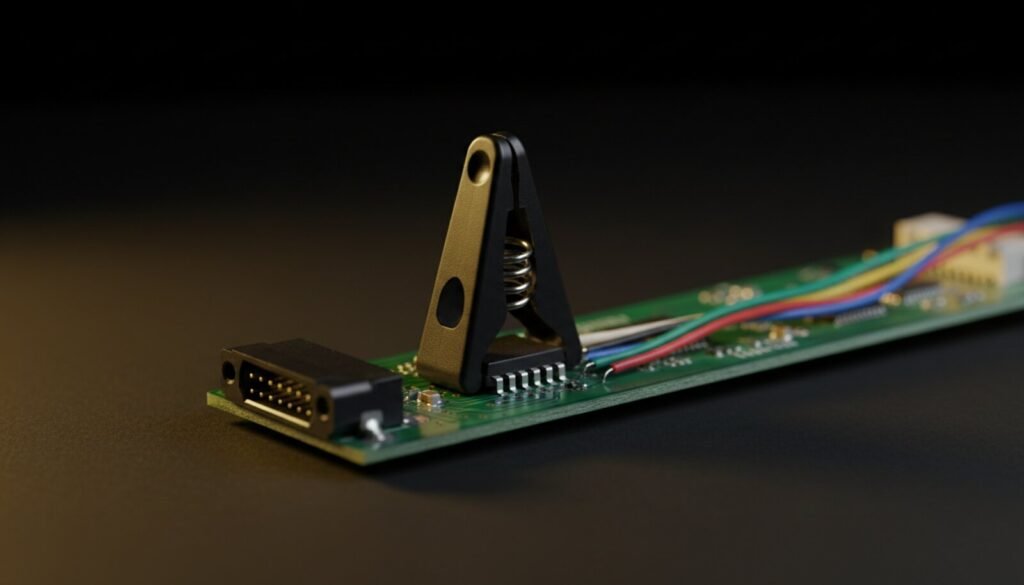
The mechanics are ordinary bench work: a SOIC-8 test clip on the chip, a CH341A with AsProgrammer on the other end. Read twice and compare the dumps before you write anything — a clip that gives two different reads is a contact problem, not a dead monitor. When you write a replacement block, recompute byte 127 so the block sums to zero. Half the “the write worked but nothing changed” reports are a good EDID with a stale checksum.
The part nobody covers: the DDC bus is a 5 V bus, the chip may not be
Our guide to SOIC-8 clips spends a long time warning that 5 V from a cheap CH341A destroys 1.8 V SPI flash. Here the answer is the opposite. On the cable side, the DDC bus is designed to run at 5 V: TI’s HDMI companion chip TPD12S016 exists to bridge exactly that gap: it “enables DDC translation from VCCA (system side) voltage levels to 5-V (HDMI cable side) voltage levels,” with port B “over-voltage tolerant to 5.5 V, even when the device is un-powered.” The connector end expects 5 V logic, and a 24LC21A is a genuine 5 V part — 2.5 V to 5.5 V operating, 7.0 V absolute maximum.
Clip directly onto the EEPROM inside the monitor, though, and you are on the other side of that level shifter, where VCCA may be 3.3 V or 1.8 V — the translator is the whole reason the two sides can differ. So the rule is short: over the cable, 5 V is the design intent; on the board, measure VCC on pin 8 first and match it. A minute with a multimeter costs nothing, and a USB microscope reads the part number that settles it.
Second thing nobody covers: Linux quietly repairs your EDID
If the monitor is fine on Linux and broken on Windows 11, you have not proved the EDID is good. The kernel has a module parameter, edid_fixup, documented as “Minimum number of valid EDID header bytes (0-8, default 6)”. Six. If six of the eight header bytes are correct, the kernel patches the header itself and carries on — logging that repair at debug level, where you will never see it. Windows 11 does no such thing.
There is a second asymmetry in the same code: a base block with a bad checksum is rejected outright, but a CEA extension block with a bad checksum is accepted and used anyway. The kernel retries each block up to four times, except an all-zero base block, which it gives up on immediately. Which makes the messages in dmesg worth reading literally:
EDID block 0 is all zeroes |
Nothing on the bus, or the EEPROM has no power. Check the port’s 5 V and the DDC pins before blaming the chip |
EDID has corrupt header |
Three or more header bytes wrong — past what the kernel will repair. This is the one Windows 11 shows as non-PnP |
checksum is invalid, remainder is N |
Data is readable but N is what byte 127 should have been. Usually one flipped bit; the dump is still worth saving |
EDID has major version N, instead of 1 |
You are not reading an EDID at all — wrong address, wrong chip, or a shifted read |
Where this sits in a repair
Work outwards. Prove the port with another input first — free, instant, and it either clears the monitor or names the guilty EEPROM. Then read the EDID: a missing mode is CRU and five minutes, bad data means the board comes out. From there it is the same sequence as any small serial memory job — clip, read, compare, write, verify. If the panel is also dark, EDID is not your problem yet: get the rails right first.
FAQ
Does CRU change my monitor permanently?
No. It writes an override into the Windows registry for that display on that PC. Move the monitor to another machine and it behaves as it always did.
The screen went black after I applied an override. What now?
Press F8 within 15 seconds — that unloads all overrides without deleting them. If you missed it, boot to safe mode and run reset-all.exe. Forcing the PC off twice during boot gets you the recovery menu.
My custom high-refresh mode is ignored on an NVIDIA card. Is my EDID bad?
Probably not. NVIDIA’s driver ignores overrides when Display Stream Compression is active and the mode exceeds the GPU’s single-head pixel clock limit — 1330 MHz on GTX 1600 and RTX 2000, 1335 MHz on RTX 3000, 1350 MHz on RTX 4000. RTX 5000 is unaffected.
Can I read the EDID without opening the monitor?
Yes — that is what the DDC pins are for. The 5 V comes down the cable from the source, so the EEPROM answers even with the monitor unplugged from the mains: a display that is dead at the panel will usually still hand over its EDID. Writing over the cable is the harder half, and why bench repairs go straight to the clip.
Why does my read come back all FF or all 00?
That is a contact or power fault, not a corrupt EDID. All FF means the data line never got pulled down; all 00 usually means no supply. Reseat the clip, confirm pin 1, check VCC — the diagnosis table in our SOIC-8 clip guide covers the rest.
And before anyone asks whether the manufacturer owes them a replacement EEPROM: in the EU they do not. The spare-parts list for electronic displays covers the internal power supply, connectors, bulk capacitors and the HD/SSD module — the EDID EEPROM is not on it, which is exactly why this repair is yours to do.
The Verdict
Three things decide this job. Read the EDID before you touch it, because a clean parse and an empty parse point at completely different repairs. Know that CRU is an override and not a fix — perfect for a mode the panel never advertised, useless for a corrupted chip. And when CRU shows a non-PnP display with nothing in it, try the monitor’s other input before you reach for a screwdriver: ports usually carry separate EDIDs, and that free test turns a vague fault into a specific eight-pin chip.
If it does come to the clip, treat it like any 24Cxx: match the voltage on the board instead of assuming the cable’s 5 V, read twice, write in eight-byte pages, fix the checksum. A monitor declared dead by three forum threads is quite often 128 good bytes away from working.
Sources: ToastyX, Custom Resolution Utility documentation at monitortests.com; the Linux kernel DRM EDID source (drm_edid.c, drm_edid.h); Microchip 24LC21A datasheet DS21160G; Texas Instruments TPD12S016 datasheet SLLSE96F. Verified August 2026.